WorkoutGen Is Now on the App Store for iPhone and iPad
WorkoutGen is now on Apple's App Store. Verify the official iPhone and iPad listing, check compatibility, and follow the safe installation steps.
- WorkoutGen
- App Store
- iPhone fitness app
- iPad fitness app
- workout planning

 WorkoutGen News
 WorkoutGen is officially available on the App Store
WorkoutGen is now available as a native iPhone and iPad app through the official Apple App Store listing. The listing went live on September 7, 2026, identifies JCODE as the publisher and uses app ID 6737168773. This is the verified public release, not a TestFlight invitation or a screenshot of a private build.
The practical change is the installation route. On iPhone and iPad, you can now find WorkoutGen in Apple's store, tap Get and install it like another native app. The release does not turn installation alone into a training result. It gives Apple users a familiar, verifiable way to reach the same structured workout planning and tracking experience.
What the public listing confirms
The checked listing shows WorkoutGen version 2.50.4 as a free download with optional in-app purchases. It requires iOS 16.0 or later and lists support for iPhone and iPad. Its language metadata covers English, French, Spanish, Portuguese, German, Thai, Turkish, Simplified Chinese and Arabic.
A safe identity check takes less than a minute:
- Confirm the app name is WorkoutGen.
- Confirm the publisher is JCODE.
- Check that the App Store URL contains app ID
6737168773. - Read the Compatibility section for your device and current iOS version.
- Treat any page with a different publisher or app ID as a different product.
The Get label means the download itself is free. Apple's official download guide also explains that a free app may offer separate in-app purchases or subscriptions. In WorkoutGen, the normal personalized program, 350+ exercise videos and workout tracker are available with a free account, while WorkoutGen Max remains optional.
How to install WorkoutGen on iPhone or iPad
Open the official listing on the Apple device where you want to train. Tap Get, then complete Apple's authentication step with the method configured on your device. If the button says Open instead, the app is already installed or was downloaded previously with that Apple Account.
Use this short troubleshooting order if the download does not start:
- Check that the device runs iOS or iPadOS 16.0 or later.
- Confirm that you are viewing the official JCODE listing with the correct app ID.
- Make sure the App Store is available for the current Apple Account and region.
- Follow Apple's download troubleshooting from the support page before looking for a copy elsewhere.
Once the app opens, sign in to your WorkoutGen account or create one, complete the short questionnaire if you need a program, and inspect the first session before training. The program is built by WorkoutGen's deterministic coach-designed decision tree, not written by a chatbot.
What changed and what stayed the same
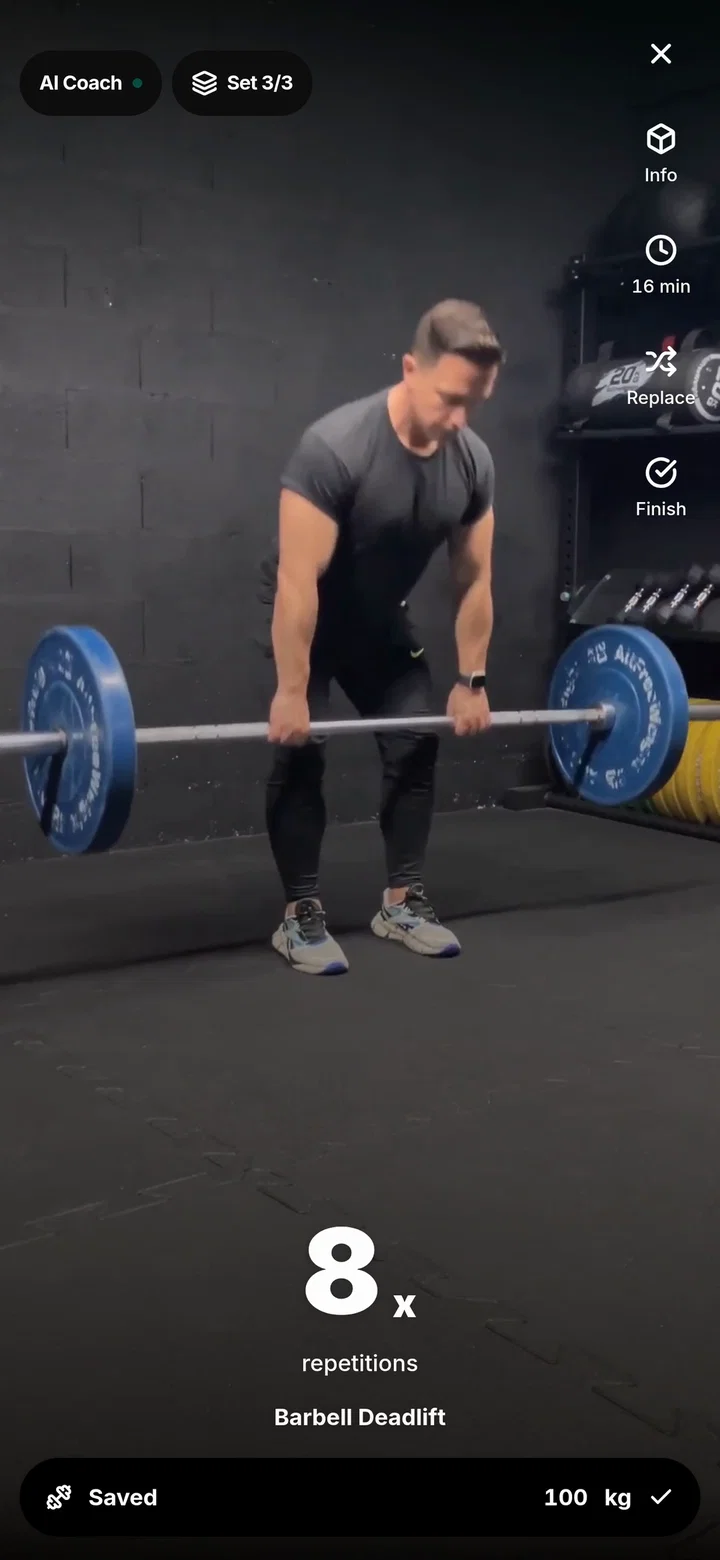
What changed is clear: iPhone and iPad now have a native App Store route. What stayed the same is the product's core purpose. WorkoutGen creates personalized, periodized workout programs from a 60-second questionnaire, presents exercise demonstrations and lets you record completed sets, repetitions, loads and rest.
The store release also does not make every feature paid. A free account can save a generated program, train normally, watch more than 350 HD exercise videos and use the workout tracker. Max is an optional upgrade for additional controls and analysis. Current prices are regional, so the in-app checkout remains the correct place to read them.
If you want to understand the program before installing, the free personalized workout plan guide explains which answers shape the result. Windows users can use the separate WorkoutGen Microsoft Store guide to verify that platform's listing and requirements.
Choose the right installation path for your device
Use the App Store on iPhone and iPad. On Android, tablets and desktop computers, WorkoutGen remains available as an installable Progressive Web App, while a native Android release is still coming to Google Play. Do not infer that a native Android app is already public just because the iOS release is live.
This split matters when helping someone install WorkoutGen. Send Apple users to the verified App Store listing. Send other supported devices to workoutgen.app for the web installation path. The account, training goal and useful first action matter more than the packaging: create or open a program, review the session and record the work you actually complete.
Next steps and official sources
For iPhone or iPad, open the official listing, verify JCODE and app ID 6737168773, check compatibility, then tap Get. After installation, begin with one concrete action such as reviewing your weekly schedule or logging the first completed set.
Related reading:
- How a free personalized WorkoutGen plan is built
- How to install WorkoutGen from Microsoft Store on Windows
- The technical journey behind the WorkoutGen web app
Official sources:
Open the verified JCODE listing, check compatibility and install WorkoutGen on your iPhone or iPad.
Build your workout program with WorkoutGen
Answer the short questionnaire, save your structured program and track each completed session.
- Personalized, periodized workout program
- 350+ HD exercise videos
- Set, repetition, load and rest tracking
- Available in nine languages