WorkoutGen Is on Google Play: Install the Native Android App
WorkoutGen is available on Google Play. Verify the official Android listing, install safely and keep your program, history and account across devices.
- WorkoutGen
- Google Play
- Android workout app
- workout tracker
- strength training

 WorkoutGen News
 WorkoutGen is available as a native Android app
WorkoutGen is available on Google Play through the official JCODE listing, with package ID app.workoutgen.android. The listing checked on October 5, 2026 shows a free download with optional in-app purchases and an October 3 update. That update date is not evidence of the first release date: this announcement confirms current availability.
For Android users, the change is the installation route. You can install the native app from Google's store instead of relying only on a browser installation. This does not change what a training plan can promise. It gives you another verified way to open your WorkoutGen program and record your sessions.
Check the listing and install the right app
Open the official WorkoutGen Google Play listing on the Android device you intend to use. Before installing, check three details together:
- The app name is WorkoutGen.
- The publisher is JCODE.
- The listing URL contains app.workoutgen.android.
Then use the compatibility information Google Play shows for your device and tap Install if it is available. Google's official download guide explains the store installation process. Availability can differ by device or account, so the listing on your own device is more useful than a guessed Android-version requirement.
If Install is unavailable, check compatibility and the Google Account selected in Play before assuming there is an app problem. Use the supported web version while resolving store access. A similarly named APK from an unverified site is not an alternative official download.
Keep your program, history and account together
After installation, sign in to the WorkoutGen account you already use. If you trained in the browser before, use that same account rather than creating a second one. WorkoutGen supports one account across Android, iPhone and iPad, Windows and the web, carrying your program, workout tracker and Max subscription across supported platforms.
This gives you a practical first check: open your existing program and inspect your workout history before starting another session. An empty new profile is a reason to check the account you signed into, not to immediately rebuild a plan or buy another subscription.
If you are new to WorkoutGen, complete the short questionnaire to create a personalized, periodized program. The training plan comes from a coach-built decision tree, not an LLM writing a workout. The free personalized workout plan guide explains how those answers shape the result.
Free training remains free, and Max stays optional
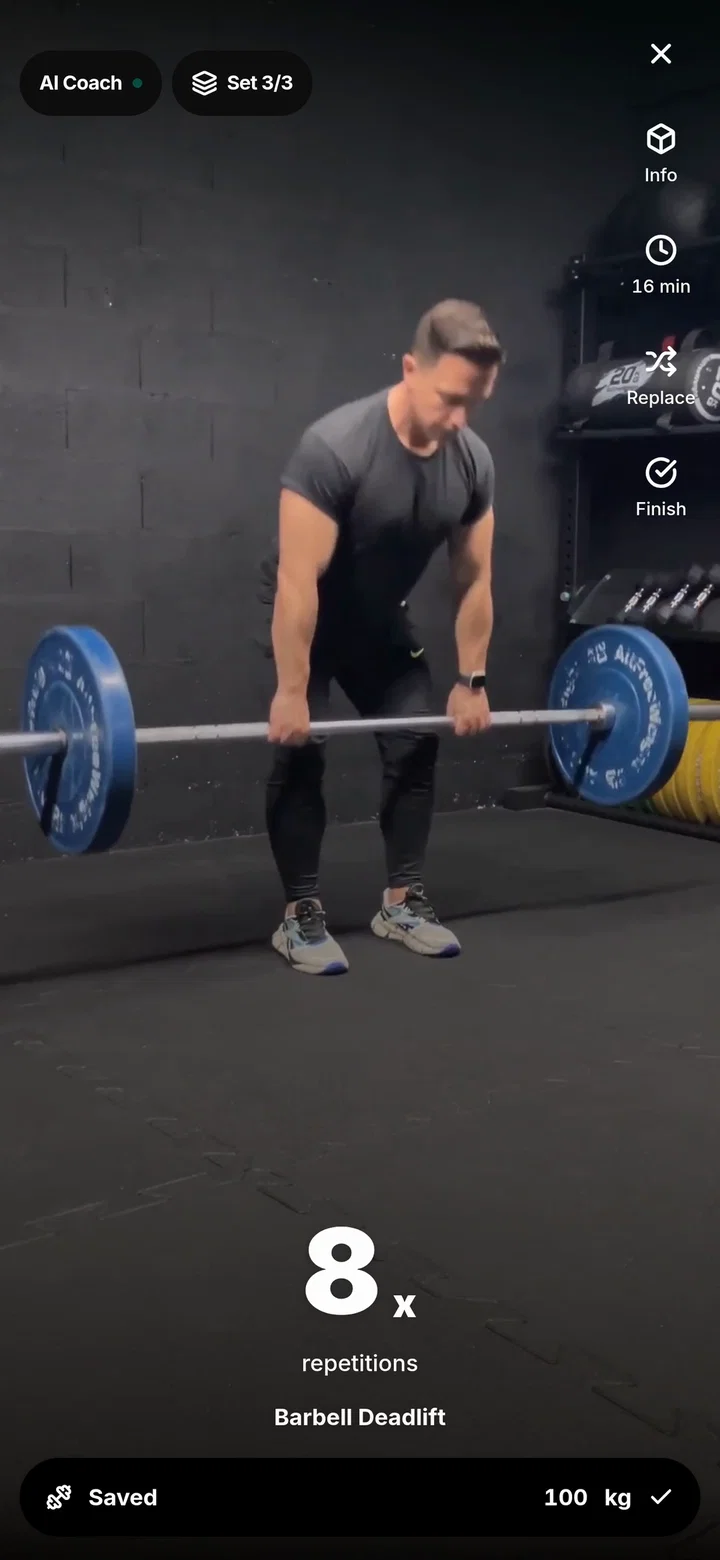
A free account includes your personalized program, more than 350 HD exercise videos, the workout player, rest timer and session completion. The workout tracker records loads, repetitions and durations, with history, weekly streaks, best sets and a 1RM calculator. Installing the Android app does not make these core features a paid tier.
WorkoutGen Max adds progress charts, AI Coach analysis, personalized load suggestions, full program control, load goals and CSV export. Choosing today's session duration, changing weekly training days and swapping an exercise for an equivalent remain free. AI Coach report text does not itself change your program.
The in-app purchase label means optional purchases exist; it does not mean every session requires a payment. Read current regional pricing at checkout instead of relying on a price copied into an article. If you already have Max, check the existing subscription on your account before considering another purchase.
Choose Android, iOS, Windows or the web
Google Play is the native Android route. Apple's App Store is the native route for iPhone and iPad, and Microsoft Store is available for Windows. The installable web app remains an option for modern browsers, including Mac, Linux and ChromeOS. The iPhone and iPad announcement covers the Apple listing, while the Microsoft Store announcement covers Windows.
Native Android and the installable web app are different installation choices for the same product. This announcement does not claim a speed advantage, special permissions or Android-only coaching features. Choose the supported route that fits your device and keep the same account when switching.
For your first Android session, review the scheduled exercises, watch a demonstration if needed, then record the sets you actually complete. The useful outcome is a consistent training record, not simply another app icon. WorkoutGen does not guarantee fitness results.
Official sources and next steps
Verify JCODE and app.workoutgen.android on Google Play, check your device's compatibility and install the app. Sign in with your existing WorkoutGen account, or create one if this is your first visit.
This guide was written by WorkoutGen founder Jean-Baptiste Thery using the official listing, Google's installation guidance and the current published product information. Store availability is a verified fact; the identity checklist and account checks are practical guidance. No download count, rating, first-release date or training result is inferred from the listing.
Verify the official JCODE listing and check your device's compatibility before installing.
Build your workout program with WorkoutGen
Answer the short questionnaire, save your structured program and track the sessions you complete.
- Personalized, periodized workout program
- 350+ HD exercise videos
- Free set, repetition and load tracking
- One account across supported devices